Tasks
A task is the smallest unit in DinkyTask: one concrete thing the child does and proves. Pick the type not by school subject, but by how the child can show they did it.
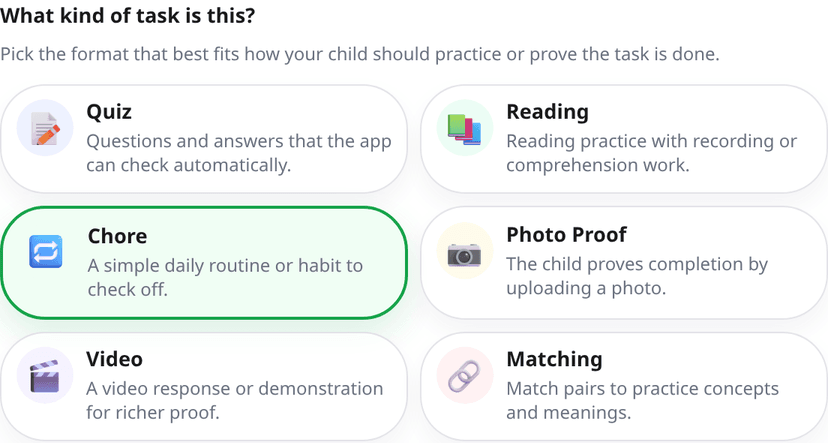
The six task types
⭐ Quiz
A multiple-choice question set that the app scores automatically. You write the questions and options and mark the correct one. Each question can have an explanation, which the child sees after a wrong answer — so a quiz is not only a test, it also teaches.
What you can configure: how many questions to ask per attempt (pull 10 out of a bank of 20 and every attempt is different), whether questions and options are shuffled, and whether explanations are shown.
Example
"Ancient Rome — before the test" · 20 questions in the bank, 10 per attempt · shuffled · 3 attempts · 70% threshold · ⭐ 5
The child gets three runs and a different question set each time. As practice, that is worth far more than clicking through the same list once.
🔗 Matching
Connecting items on the left with items on the right: word–meaning, date–event, term–definition, English word–translation. Scored automatically, just like a quiz.
What you can configure: how many pairs per round, whether the two columns are shuffled, and whether failed pairs have to be retried at the end of the round.
Example
"English words — unit 5" · 24 pairs in the bank, 8 per round · retry failed pairs on · ⭐ 3
"Retry failed pairs" means the ones they got wrong come back at the end of the round. For vocabulary, that is the setting that works best.
📖 Reading
You provide a text, the child reads it aloud, and the app records it. This is one of the types where AI review runs by default: the recording is transcribed and compared with the original. You can of course switch it to parental review if you would rather listen yourself.
What you can configure: the text to read (at least 100 characters), and optionally a minimum recording length, so it cannot be rushed through.
Example
"Reading aloud — 10 minutes" · today's passage from the set book · minimum 3 minutes of recording · bonus task · 💎 2
With a beginning reader, start with a shorter text and set it to parental review: in the first weeks personal feedback is worth more than a percentage.
📷 Photo proof
The child proves with a photo that something is done. This is the most universal type: it fits anything that happens in the physical world — finished homework, a tidied room, a laid table, watered plants.
What you can configure: exactly what to photograph, how many photos are needed (1 by default, up to 3), and whether a short note is required.
Example
"Tidy your room" · description: "Photograph your room after you have put the toys away and the books back on the shelf." · 1 photo · parental review · ⭐ 3
Make the description concrete. "Tidy up" is too vague; "toys in the box, books on the shelf" means you both mean the same thing by done.
🎬 Video
You provide a YouTube video the child has to watch. The app tracks how much of it they watched and accepts it once they reach the configured share (90% by default). So "watch this short film" can go into the daily plan too, verifiably.
What you can configure: the video link and the share that must be watched.
Example
"How does the water cycle work?" · a 6-minute explainer · 90% watched · ⭐ 2
Pairs well with a follow-up: add a 5-question quiz on the same topic. That way watching it is not just background noise.
🔁 Habit
The simplest type: one clear thing to do, which the child ticks off. No questions, no recording — what matters is repetition and building a daily routine.
What you can configure: the exact instruction (this is what the child sees) and whether a short note is required.
Example
"Bed-making and morning routine" · description: "Make your bed, open the blinds, and put your pyjamas away." · ⭐ 3
With habits, consistency matters more than the score. If it is the same three steps every morning, it really does become routine within two weeks.
Who reviews: the app or you?
For every task you choose the review mode.
- Automatic review — the app decides. For quizzes and matching that is a simple comparison; for reading and photo tasks it is AI analysis, which uses AI credit. Good when you want fast feedback and the correct answer is unambiguous.
- Parental review — the submission waits for you, and you approve it, reject it, or add feedback. Good when quality, context or real-world proof matters. This uses no AI credit.
If you reject a submission the child can try again — as long as they have attempts left. A rejection is therefore not a punishment but one more round of feedback.
Required or bonus?
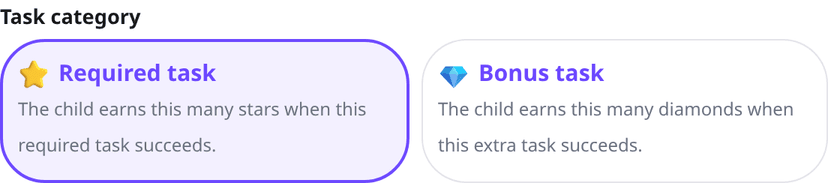
- Required task — counts towards completing the daily plan, and on approval pays exactly the ⭐ stars you configured.
- Bonus task — does not block plan completion, but on approval pays exactly the 💎 diamonds you configured.
Bonus tasks are your best tool for giving the fast finisher something to do without pushing up the daily minimum. It is worth putting at least one in every plan.
Shared settings
Regardless of type, every task lets you set:
| Setting | What it does | Default |
|---|---|---|
| Attempts | How many times the child can try before the task closes for good. | 3 |
| Pass threshold | With automatic review, the percentage from which it counts as a pass. | 70% |
| Reward | How many ⭐ or 💎 the approved task pays. | you set it |
| Category | Required or bonus. | required |
| Icon | A small picture so the child recognises the task at a glance. | optional |
Tasks from study material
The study material library is where you keep what the child actually has to learn. You can type it, paste it, import it from a PDF, or simply photograph the exercise book and the textbook — the app extracts the text from it.
From processed material you can then start, all from one place:
- a short and a detailed summary,
- a categorised question bank that becomes a quiz task,
- a standalone practice mode,
- an AI Homework Helper topic for the harder parts,
- audio to listen to, if listening works better for them.
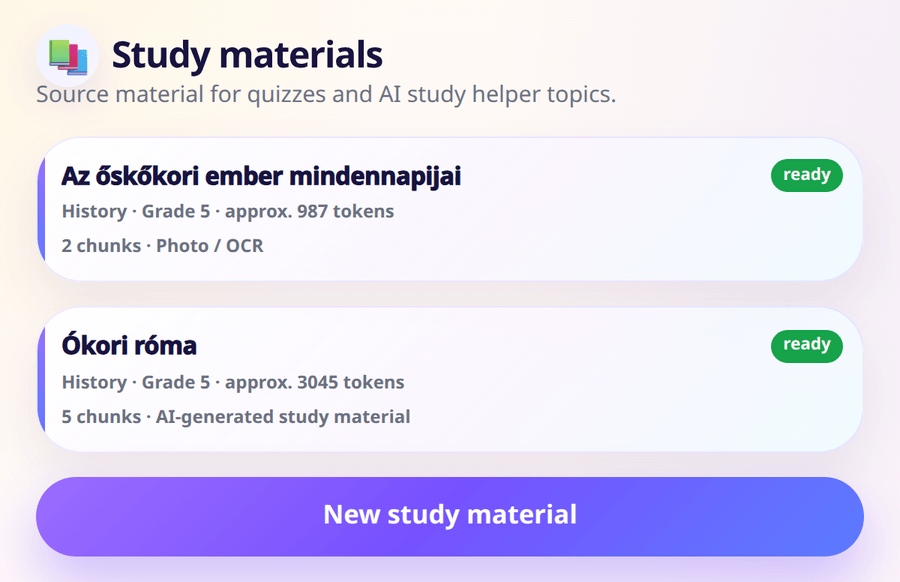
Practising from study material
The Study materials page covers this in detail. In short: practice mode differs from a quiz in that it is not part of the daily plan: the child practises when they feel like it. Questions come one at a time, progress is saved (so it survives a page reload), and the result only appears at the end. You can attach a reward to it, and control per child whether they get a reminder about it.
Where AI helps
If you have AI credit available you do not have to type everything by hand: the app can generate quizzes and matching sets, write reading passages, process and summarise study material, build questions from existing material, and extract text from photos. You always see and can edit generated content before saving — the reviewing role stays with you. Per-operation credit costs are on the AI and credit allowance page.
Practical advice
- Start small. Two or three tasks a day is plenty at the beginning. Adding later is easier than taking away.
- Mix the types. One learning task, one routine and one bonus gives a better rhythm than three quizzes in a row.
- Write concrete instructions. The child sees exactly what you type — if it is unambiguous, there is far less arguing at review time.
- Keep rewards proportional. If the hard task pays the same as the easy one, the child will always start with the easy one.
- Use templates. If your weekdays are similar, copy an earlier daily plan onto another date and change only what differs.